
Official Website for Australian ETA – Government Portal Guide
The official website for Australian ETA applications is immi.homeaffairs.gov.au, operated by the Department of Home Affairs. You can apply for your Electronic Travel Authority (Subclass 601) exclusively through the AustralianETA mobile app – not through a web form. The application fee is AUD 20, and most applications are processed within minutes. Always use the official government site to avoid extra fees and potential scams from third-party services.
Finding the Official ETA Australia Website
The Australian Government operates a single official portal for all visa applications, including the ETA. The website address is immi.homeaffairs.gov.au. This is the only legitimate government source for ETA applications.
When searching for the official site, note these key facts:
– The ETA (Subclass 601) requires the AustralianETA mobile app – there is no online web form
– The Department of Home Affairs manages all ETA processing
– European passport holders may qualify for the eVisitor (subclass 651) instead
– Australian citizens are not eligible for an ETA (see “Entering Australia” on the government site)
For a complete overview of the ETA system, including requirements, conditions, and eligibility, see our ETA Australia guide.
How to Verify You Are on the Official Site
When looking for the official ETA website, check for these indicators:
- URL: The address should start with
https://immi.homeaffairs.gov.au - Domain: The
.gov.audomain confirms it is an Australian government website - Security: Look for the padlock icon in your browser address bar
- Design: The official site has a consistent government design with the Australian coat of arms
Warning: Many third-party websites look similar to the official site. They often charge additional service fees on top of the AUD 20 government fee. Some may even be scams designed to steal your personal information.
How to Use the Government Portal (Step-by-Step)
Applying for your ETA through the official government portal is straightforward. Follow these steps:
Step 1: Download the AustralianETA app
Download the official app from the Apple App Store (iOS) or Google Play (Android). The app is free to download.
Step 2: Create or sign in to your account
Open the app and create a new account or sign in with existing credentials. You will need a valid email address.
Step 3: Scan your passport chip
Your mobile device must have NFC capability to scan the biometric chip in your passport. Hold your phone against the passport data page and follow the on-screen instructions.
Step 4: Take a photo
Use your device camera to capture a clear photo of yourself. The app will guide you through the photo requirements.
Step 5: Answer eligibility questions
Complete the short questionnaire about your travel history, health, and character requirements.
Step 6: Pay the AUD 20 fee
The government service charge is AUD 20 (approximately $13 USD). This is the only fee you should ever pay for an ETA.
Step 7: Receive your result
Most applications are approved immediately. You will receive a notification in the app once your ETA is granted.
If you cannot use the app: You can apply online through ImmiAccount for another visa that suits your needs. Visit immi.homeaffairs.gov.au to explore alternative visa options.
What the Official ETA Application Costs
The government fee for an Australian ETA is AUD 20 (approximately $13 USD). This is a service charge to use the AustralianETA app, and there are no additional government charges.
Here is how the official fee compares to third-party services:
| Service | Fee | Legitimate? |
|---|---|---|
| Official AustralianETA app | AUD 20 (~$13 USD) | Yes – official government |
| Third-party websites | $35-75+ USD | No – unauthorized |
| Premium/expedited processing | Does not exist | No – scam tactic |
The Australian Embassy in Washington explicitly warns that if you pay more than AUD 20, you are being scammed. There is no premium service, expedited processing, or additional government fee for an ETA.
Processing Times and Approval
Most ETA applications are processed immediately – you receive your result within minutes of completing the application. The Department of Home Affairs states:
- In most cases, you will receive your ETA result immediately after submission
- Applications may take longer if you do not complete the process correctly
- Additional information may be required in some cases
- Do not make travel arrangements until your ETA is granted
Important: There is no way to pay for faster processing. Any website claiming to offer “expedited” or “priority” ETA processing for an additional fee is operating a scam.
ETA App Requirements (NFC and Camera)
To complete your ETA application through the official app, your mobile device must have:
- NFC capability: Required to scan the biometric chip in your passport. Most smartphones manufactured after 2016 have NFC
- Camera: Required to take your photo during the application process
- Internet connection: Required to submit your application and receive your result
How to check if your phone has NFC:
– iPhone: NFC is available on iPhone 7 and later
– Android: Go to Settings > Connected devices > Connection preferences > NFC
– Older devices: If your phone does not have NFC, you cannot use the ETA app. Apply through ImmiAccount for an alternative visa instead.
Third-Party Scam Warnings
The Australian Embassy and Department of Home Affairs have identified numerous third-party websites that charge excessive fees for ETA applications. Here is what you need to know:
Red flags that indicate a scam:
– The website charges more than AUD 20 for an ETA
– You are applying through a website instead of the AustralianETA app
– You are told there is an “expedited” or “priority” processing option for an extra fee
– The website does not end in .gov.au
Risks of using unauthorized services:
– Losing any upfront fees you have paid
– Having your ETA application refused
– Not being permitted to board your flight to Australia
– Being refused entry at the Australian border by the Australian Border Force
What to do if you suspect a scam:
Report it to Australia’s Border Watch at homeaffairs.gov.au/report. The Australian Government takes visa fraud seriously and actively investigates reported scam websites.
Frequently Asked Questions
Can I apply for an Australian ETA without using the app?
No. Since 2024, all ETA-eligible passport holders must apply using the AustralianETA mobile app. If you cannot use the app, you can apply through ImmiAccount on the government website for an alternative visa type.
Is the Australian ETA free?
The government charges AUD 20 (approximately $13 USD) as a service fee to use the AustralianETA app. There are no other government charges. Any website charging significantly more is an unauthorized third-party service.
How long is the Australian ETA valid?
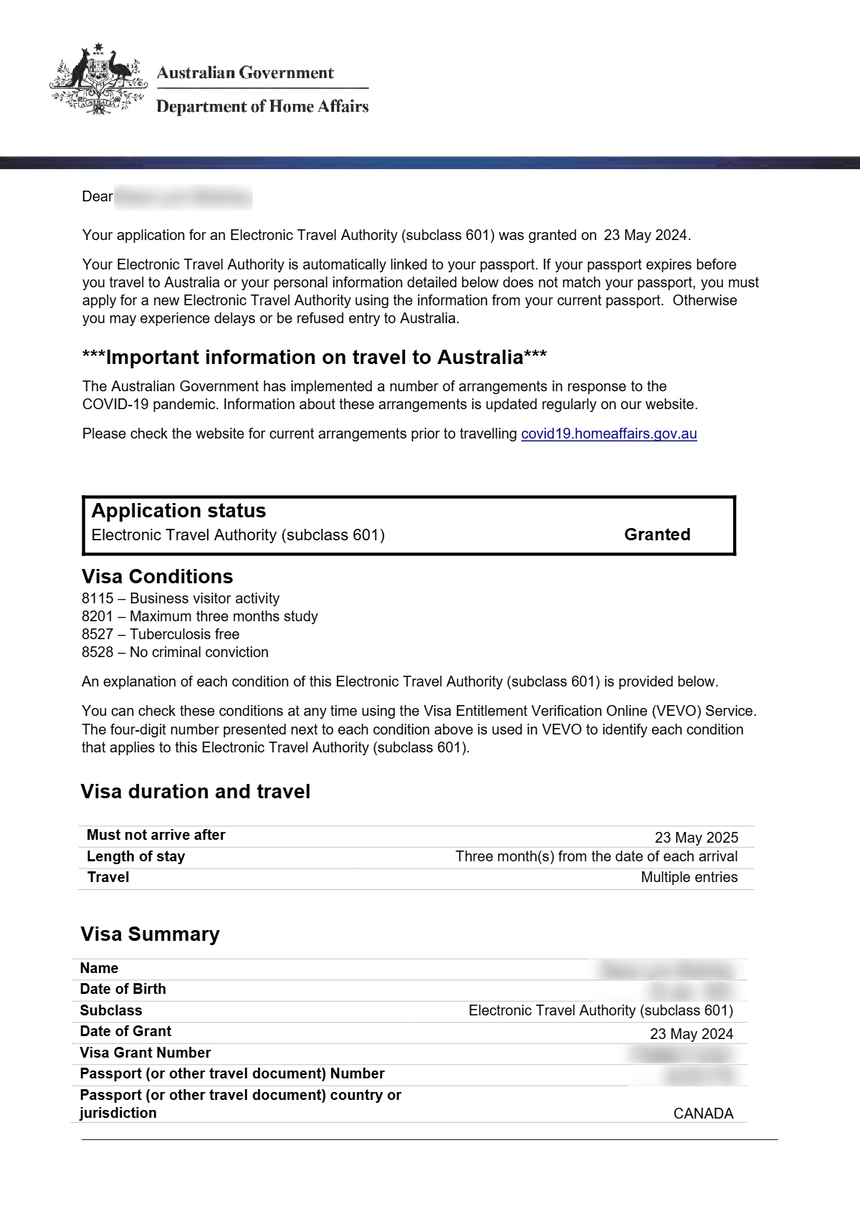
Your ETA is valid for 12 months (or until your passport expires, whichever comes first). You can enter Australia multiple times during this period, with each stay lasting up to 3 months.
What is the difference between an ETA and an eVisitor?
The ETA (Subclass 601) is for passport holders from ETA-eligible countries, including the USA, Canada, Japan, and several Asian nations. The eVisitor (Subclass 651) is for European passport holders. Both allow stays of up to 3 months and are free of government visa application charges (the ETA has a AUD 20 app service fee).
How do I check my ETA status?
You can check your ETA status through the AustralianETA app or by logging into your ImmiAccount at immi.homeaffairs.gov.au. For additional assistance, contact the Global Service Centre at +61 2 6196 0196 (Monday to Friday, 9am to 5pm local time).
Where can I download the official ETA app?
Download the official AustralianETA app from the [Apple App Store](https://apps.apple.com/au/app/australianeta/id1527982364) for iOS devices or [Google Play](https://play.google.com/store/apps/details?id=au.gov.homeaffairs.eta) for Android devices. The app is published by the Australian Government Department of Home Affairs.